

<

See How LionO360 Can Improve Your Business - Book A Free Demo!

See How LionO360 Can Improve Your Business - Book A Free Demo!

See How LionO360 Can Improve Your Business - Book A Free Demo!

See How LionO360 Can Improve Your Business - Book A Free Demo!

See How LionO360 Can Improve Your Business - Book A Free Demo!

See How LionO360 Can Improve Your Business - Book A Free Demo!

See How LionO360 Can Improve Your Business - Book A Free Demo!

See How LionO360 Can Improve Your Business - Book A Free Demo!

See How LionO360 Can Improve Your Business - Book A Free Demo!

See How LionO360 Can Improve Your Business - Book A Free Demo!

Close
Search

Blog posts related to 'crm'

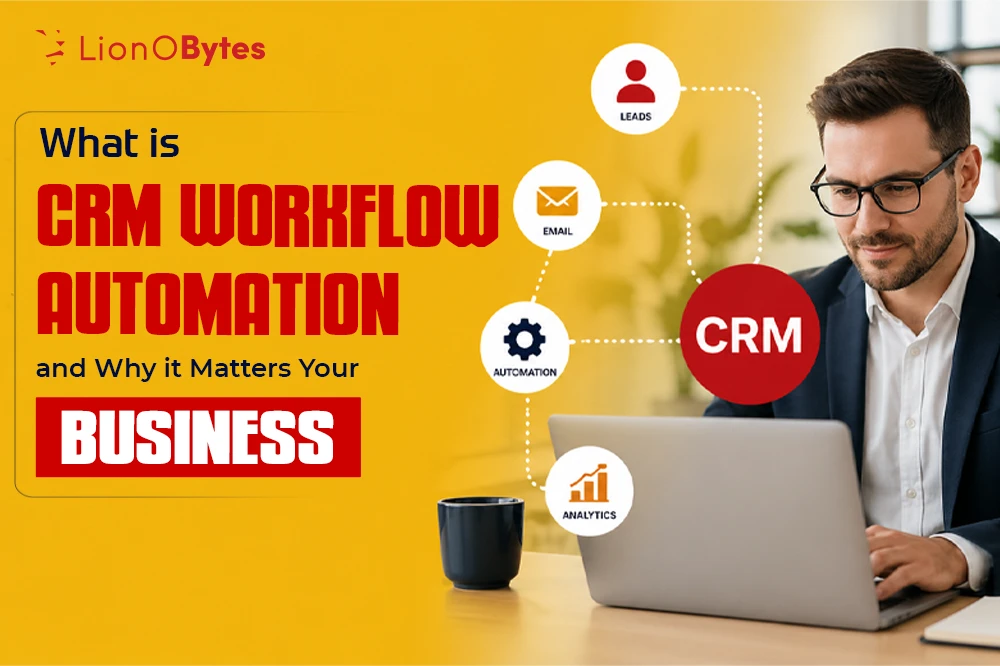
An employee managing workflow automation on his laptop. What is CRM Workflow Automation and Why it Matters Your Business? CRM workflow automation is not about replacing people. It is about freeing your team to do what they do best. It is about helping your customers get better service. It is about making your business run more smoothly and more profitably.

Apr 28, 2026

crm

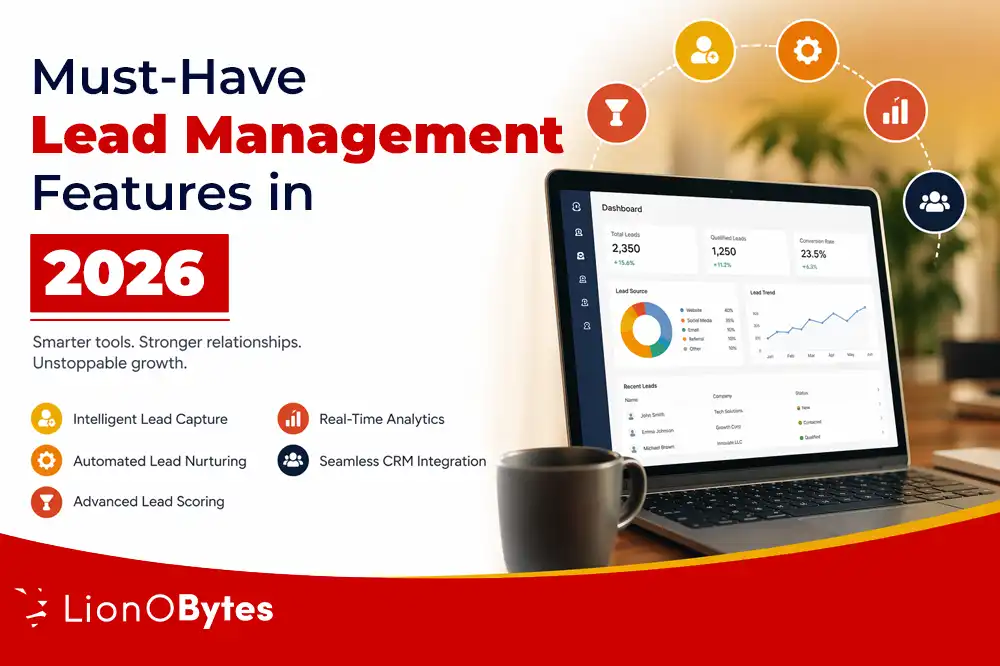
Key Features of the Top Lead Management Software in 2026

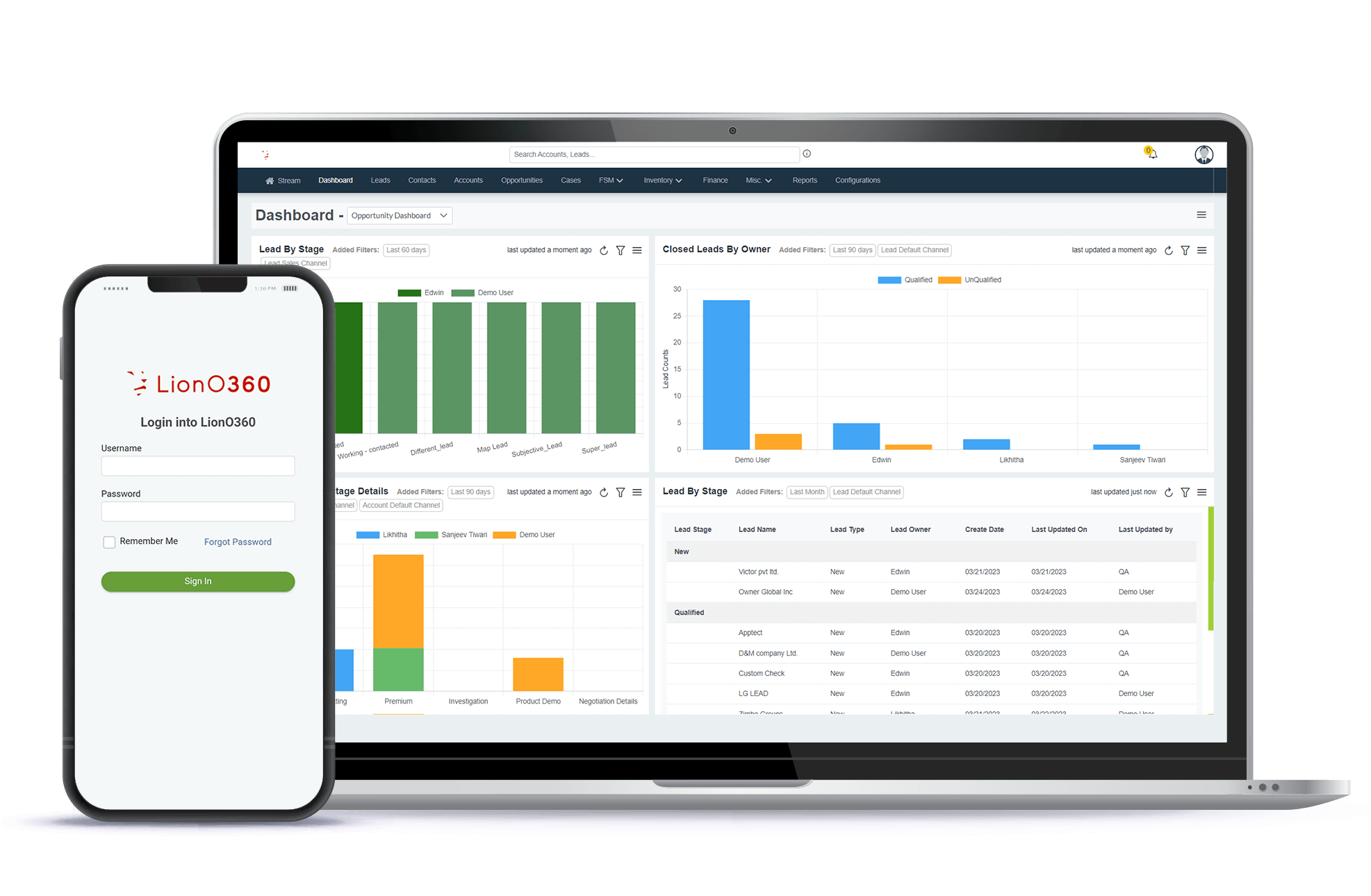
Laptop showing LionO360 CRM dashboard with lead management software interface for sales teams.

Good lead management software helps your sales team work faster and smarter. When you pick the right tool, you can turn interested people into paying customers and grow your business quickly. 

Many sales teams struggle because they lack the right system to manage their leads. Leads slip through cracks, response times slow down, and sales reps do not know who should follow up with which customer. The best lead management software fixes all these problems. 

Key Takeaways:

  • Lead management software captures and organizes every lead, so you never miss sales opportunity. 
  • Automatic lead routing sends leads to the right salesperson at the right time. 
  • Easy dashboards show you where every lead is in the sales funnel, so managers can spot problems and help the team improve. 
  • Smart lead scoring tells your team which leads are ready to buy right now, so they focus on the best opportunities first. 
  • Working with your CRM simplifies everything and eliminates the need to re-enter information, saving your team time and reducing mistakes. 
  • Reports and forecasts show you exactly which leads to generating revenue, and which do not, so that you can make smarter business decisions. 

What is Lead Management Software?

Lead management software is a system that finds, tracks, and assigns leads to your sales team. Think of it like a smart helper that watches every step of your lead's journey. It does much more than just store names and email addresses. 

The best lead management tools do four main jobs: 

  • Catch leads from many places, like your website, emails, and ads. 
  • Improve the lead information by adding key details. 
  • Send leads to the right salesperson fast. 
  • Show managers how the sales team is doing with each lead. 

When you use good lead management software, your entire team moves faster. Leads get attention quickly, customers feel important, and your sales team closes more deals. 

How Does Lead Management Software Work? 

Lead management software follows these steps in order: 

First, it catches the lead. Your software grabs information from web forms, emails, text messages, phone calls, and ads. No lead gets lost because the system finds them all in one place. 

Next, it adds more information. The tool looks up customer information, such as the company they work for and what they've bought before. This additional information helps your sales team better understand the lead. 

Then, it gives the lead a score. The software analyzes signals such as the number of emails opened, the number of pages visited, and the words used in messages. It tells you if the lead is ready to talk to a salesperson right now or needs more time. 

After that, it routes the lead fast. Instead of a manager sending emails to assign leads, the system does it automatically. It finds the best salesperson based on their skill, current workload, and the type of lead. 

Then, it watches everything. The software tracks when the salesperson calls, emails, or meets with the lead. It shows how fast they respond and what happens next. 

Finally, it shows the full picture. Your managers can see one dashboard that shows all leads moving through your sales funnel. They spot bottlenecks and know where to help the team improve. 

All of this happens without your team having to do extra work. The system runs in the background while your sales team focuses on customer conversations. 

Lead Management Tools Compared 

Lead management software is not the same as CRM or other sales tools. Here is how they differ: 

Lead Management Software focuses on one job: catching leads, getting them ready, and sending them to the right person fast. It is like a specialist doctor who knows one area very well. 

CRM Software stores all your customer information and communication history. It is like a big filing cabinet for your business. CRMs track past sales and current deals, but they do not move leads as quickly. 

Sales Pipeline Software shows you how many deals you might close and how much money you could make. It helps you see the future and plan better. Pipeline tools focus on money and numbers, not on the speed at which leads to reaching salespeople. 

Here is an easy way to remember: 

  • Lead management software = gets the lead to the right person fast 
  • CRM = remembers everything about every customer 
  • Pipeline software = predicts your future sales 

Many modern tools combine all three of these jobs in one package. This saves money and means your team learns just one system rather than three. 

Must-Have Features for Great Lead Management in 2026

Must-Have feature of Lead Management Software.

To pick the best lead management tool, you need to know what features matter most. Here are the top features that all good lead management software should have: 

1. Lead Capture from Every Place 

Your leads come from many places. Some people fill out your website form. Some call from your ads. Some reply to emails. Your lead management software must catch leads from all these places: 

  • Website forms and chat boxes 
  • Text messages and WhatsApp 
  • Email replies and questions 
  • Phone calls and voicemails 
  • Marketing ads on Facebook and Google 
  • Events and webinars 
  • LinkedIn connections and messages 

If your tool misses leads from any of these places, you lose money. Picture this: a hot lead emails you asking for a price, but your system misses it because it only checks web forms. That sale goes to your competitor instead. 

The best software watches all these channels at once. When a lead shows up anywhere, the system sees it right away. 

2. Automatic Lead Assignment and Routing

Imagine a sales manager spending two hours every day typing emails to assign leads to team members. That manager is not making sales. They are doing busy work.

Automatic routing removes this job. Your system learns your rules and assigns leads without any human help.

Good routing rules include:

  • Give each salesperson the same number of leads each week.
  • Assign leads based on where the customer lives.
  • Send leads to people who know that type of business.
  • Only give leads to people who are not busy right now
  • Send big, important customers to your best salespeople
  • Send leads to specific people if the customer asked for them 

When leads are assigned quickly, your sales team responds quickly. Studies show that when you call a lead within 5 minutes instead of 30 minutes, you are 21 times more likely to make the sale. 

3. Clear Pictures of Your Sales Funnel

Your sales manager needs to see the whole picture. They need to know right now: 

  • How many new leads did we get this week?
  • How many are still waiting for a call?
  • How many have already talked to a salesperson?
  • How many are ready to buy?
  • Which salespeople respond fastest?

A good dashboard shows all this on one screen. You do not need to check three different reports or ask ten questions. You see it all at a glance. 

Smart dashboards also show you problems. Maybe one salesperson has 50 leads, but only calls 5. Maybe leads from your biggest customer always move through the funnel fast, but leads from small companies get stuck. When you see these patterns, you can fix them. 

4. Works Smoothly with Your CRM

Your CRM holds all your customer information. Your lead management software needs to work in partnership with your CRM, not as a separate tool that clashes with it. 

The best kind of teamwork is when these happen:

  • Information flows both ways without typing
  • New leads show up in your CRM right away
  • Salespeople open your lead management tool and see all the customer history from your CRM
  • When a lead moves to the next stage, both systems update at once
  • Your calendar stays in sync, so you never double-book a meeting

Without this teamwork, your salespeople have to switch between two programs. They look up lead info in one tool, then switch to another to check customer history. This wastes time and causes mistakes when the data does not match. 

The very best tools integrate deeply with your CRM, like Salesforce. This means the tools work as if they were part of the same system, not two separate programs that barely talk to each other. 

5. Lead Scoring to Find Ready Buyers

Not all leads are the same. Some people just browsed your website. Others watched three of your videos and filled out a form. One person called asking about the price and timeline. 

Lead scoring tells you which leads are most likely to buy right now. The system looks at: 

  • Which pages they visited
  • How many emails did they open
  • If they downloaded something
  • How fast did they reply to you
  • Words they used in messages
  • How many times have they come back

The software gives each lead a score of 10 out of 100. A score of 90 means they are almost ready to buy. A score of 20 means they are just beginning to learn about you. 

When your sales team knows which leads are hot, they focus on the right people. This boosts sales faster than calling random leads and hoping they care. 

6. Reports That Show What Works 

You need facts to grow your business. Good lead management software gives you reports that answer these questions: 

  • How many leads turn into customers each month? 
  • How fast do our salespeople respond to leads? 
  • Which places give us the most leads? (Your website? Ads? Referrals? 
  • Which leads never turn into customers? What is wrong? 
  • How much money do lead from each source make us? 
  • Is one salesperson better at closing deals than the others? 

These numbers tell you what to do next. Maybe leads from your ads never close, so you stop spending money there. If your website leads close quickly, you may invest more in website traffic. Maybe one salesperson is amazing at closing, so you ask them to train others. 

Without these reports, you guess. With reports, you know. 

How to Pick the Best Tool for Your Business

Now you know about many tools. How do you choose? Here is how to think about it: 

Look at your team size. If you have two people, you do not need the same tool as a 50-person team. LionO360 CRM grows with you. 

Think about your budget. Some tools cost a lot. Some cost nothing to start. Write down what you can spend. Then look at the tools in that price range. 

Count your complicated needs. Do you have complex rules for assigning leads? Do you need custom reporting? Salesforce is built for this. Do you need to catch leads and send them to salespeople? LionO360 CRM does this better and faster. 

Check what you already use. Do you use Salesforce? Look for tools that work great with Salesforce. Do you use Google Workspace? Look for tools that sync with Google. 

Try before you buy it. Most tools let you try for free. Spend one week using it with a real lead. See if your team likes it. If not, try another. 

Talk to your sales team. They are the ones who use it every day. Ask what they need. A tool that slows down your sales team is a bad choice, even if it is cheap. 

LionO360 CRM: Smart Lead Management Made Easy 

LionO360 CRM for Lead Success.

LionO360 CRM stands out by making lead management simple. You do not need a team of experts to set it up and use it. If you are a small team or a big team, LionO360 works for you. 

Key reasons teams prefer LionO360: 

  • Gets leads from your website, phone, email, and chat, all in one view 
  • Sends leads to the right salesperson in seconds without anyone doing extra work 
  • Shows one clear dashboard so managers know exactly what is happening 
  • Works perfectly with other tools your team uses 
  • Learns your business rules and runs on its own 
  • Beautiful and simple to use, even for people new to sales software 

The LionO360 focuses on speed and ease. You do not get lost on menus or need two days of training to use it. Your team can start using it today. First, it is simple and has all the features you need to catch, score, assign, and track leads. And it grows with your team. 

The LionO360 CRM is made for teams that want to grow. It gives you the speed you need to beat your competitors. 

Ready to speed up your sales team? Learn more about how the best lead management software can help you close more deals. Visit LionOBytes or book a free CRM demo to see how top teams are growing faster with smart lead management systems. 

Frequently Asked Questions 

What is the number one feature of good lead management software? 

The speed is number one. If leads sit in a queue for hours before someone calls them, you lose sales. The best software gets leads to your salespeople in seconds. 

Can small teams really use lead management software? 

Yes. You do not need a big team to benefit. Even two people can use these tools. The smaller the team, the more you gain from automation, since everyone is super busy. 

Does lead management software replace my CRM? 

No. Lead management and CRM are teammates. Your CRM is your memory. It remembers everything about every customer forever. Lead management is the speed demon. It leads to the right person fast. You need both. 

How long does it take to set up lead management software? 

Simple tools like LionO360 CRM or Pipedrive take hours to set up. You log in, add your sales team members, and set up routing rules. More complex tools like Salesforce can take weeks or months because you are building something custom. 

How do I know if lead management software is actually helping my business? 

Track these numbers before and after you start using the tool. How fast do your salespeople respond to leads? How many leads turn into customers? How much revenue do you make? If these numbers go up, the tool is helping.

Apr 23, 2026

What is an Ecommerce CRM? How it Works & Benefits in 2026

An ecommerce CRM is a tool that helps online businesses manage customer data, sales, and communication in one system. CRM stands for customer relationship management for e-commerce. It focuses on building strong customer relationships while improving sales and service. C

Apr 21, 2026

Field Service Management: A Guide to Boost Service Efficiency and Customer Experience

Field Service Management is how a company manages its resources out in the real world. This includes the people who do the work, their vehicles, and the tools they carry. Whether you are fixing a broken pipe, installing internet, or repairing a heater, you are doing field service.

Apr 17, 2026

Master the Lead Management Process in 7 Simple Stages with LionO360 AI

LionO360 lets you fully customize your sales pipeline stages. You can name them whatever makes sense for your business. You can add stages, remove stages, and set them up to match your exact sales process.

Apr 14, 2026

A Guide to CRM Lead Management: Boosting Sales and Customer Retention

CRM Lead Management Guide: Boost Sales & Retention

Growing a business today is not just about getting more leads. It is about managing those leads in the right way. Many businesses lose potential customers because they do not properly track or follow up. This is where CRM lead management becomes important.

A good lead management system helps you capture, track, and convert leads into paying customers. It also helps you build long-term relationships. When done right, it can increase your sales and improve customer retention.

In this guide, you will learn everything about CRM for lead management simply and clearly.

What is CRM Lead Management?

CRM Lead Management is the process of capturing leads, tracking their activity, and guiding them through the sales journey until they become customers.

A CRM system stores all lead information in one place. It helps your sales team understand each lead better and take the right action at the right time.

Instead of using spreadsheets or manual methods, businesses now use the best lead management software to manage everything in one system. 

Why CRM Lead Management Matters

Many businesses struggle because they do not follow up with leads properly. Some leads are ignored, while others are contacted too late.

Here is why CRM lead management is important:

  • Keeps all lead data organized
  • Helps track every interaction
  • Improves response time
  • Increases conversion rate
  • Builds better customer relationships

When you use the best lead tracking software, you reduce errors and improve efficiency.

The Lead Management Process Explained

The lead management process includes several stages. Each stage is important for turning a lead into a customer. 

1. Lead Capture 

This is the first step. Leads come from different sources, such as:

  • Website forms
  • Social media
  • Email campaigns
  • Ads
  • Events

A CRM for lead management collects all leads in one place automatically. 

2. Lead Tracking 

Once a lead is captured, you need to track their behavior. This includes:

  • Website visits
  • Email opens
  • Click activity
  • Form submissions

Using the best lead tracking software, you can see what each lead is interested in. 

3. Lead Qualification 

Not all leads are ready to buy. Some are just exploring.

Lead qualification helps you identify which leads are worth your time. You can qualify leads based on:

  • Budget
  • Need
  • Interest level
  • Decision-making power

This helps your team focus on high-value leads.

4. Lead Scoring

Lead scoring gives points to each lead based on their actions and profile. This helps you prioritize leads easily.

5. Lead Distribution

In this stage, leads are assigned to the right salesperson.

A good lead management system ensures:

  • Better response time
  • Balanced workload
  • Fast assignment

6. Lead Nurturing 

Not all leads are ready to buy immediately. Lead nurturing helps build trust over time. 

You can nurture leads through:

  • Emails
  • Follow-up calls
  • Personalized messages

CRM lead management tools help automate this process. 

7. Conversion 

  • Timely follow-ups
  • Better communication
  • Higher success rate

This is the final stage where a lead becomes a customer. 

A strong CRM for lead management ensures:

How CRM Lead Management Boosts Sales

A structured system helps your team work smarter. Here is how CRM lead management increases sales:

Better Lead Visibility

You can see all lead details in one place. This helps you understand customer needs better.

Faster Response Time

Quick responses increase chances of conversion. CRM systems send alerts, so your team never misses a lead.

Improved Follow Ups

Automated reminders ensure that no lead is forgotten.

Data Driven Decisions

Reports and analytics help you understand what works and what does not work.

Higher Conversion Rates

When leads are managed properly, more deals are closed.

How CRM Lead Management Improves Customer Retention

Lead management is not only about sales. It also helps in keeping customers happy. 

Personalized Communication

CRM systems store customer history. This helps you send relevant messages. 

Better Customer Experience

When customers feel understood, they stay longer. 

Strong Relationships

Regular follow-ups and engagement build trust. 

Repeat Business

Happy customers are more likely to buy it again.

Features of the Best Lead Management Software

Choosing the best lead management software is important for success. Here are key features to look for:

Centralized Data

All lead information should be stored in one place.

Automation

Automate tasks like:

  • Lead capture
  • Follow ups
  • Email campaigns
  • Lead Scoring
  • Helps identify high-quality leads.

Reporting and Analytics

Gives insights into performance.

Integration

Should connect with tools like email and marketing platforms.

Mobile Access

Allows your team to work from anywhere.

Challenges Without a Lead Management System 

If you do not use a CRM system, you may face:

  • Lost leads
  • Poor follow-up
  • Data confusion
  • Low conversion rates
  • Weak customer relationships

Manual systems cannot handle large volumes of data.

Tips to Improve Your CRM Lead Management Strategy 

Here are simple tips to get better results: 

Define Your Ideal Customer

Know who you want to target. This improves lead quality.

Use Lead Scoring

Focus on leads that are more likely to convert.

Automate Routine Tasks

Save time and reduce manual work.

Train Your Team

Make sure your team knows how to use the CRM properly.

Monitor Performance

Track results and make improvements.
Choosing the Right CRM for Lead Management 

Selecting the right CRM, like LionO360 CRM, can make a big difference. Here is what to consider: 

  • Ease of use
  • Features
  • Scalability
  • Cost
  • Customer support

The best lead tracking software should match your business needs.

Smarter Lead Generation Starts with LionO360 CRM

Try LionO360 CRM for Your Lead Management

If you want to improve your sales and customer relationships, using the right CRM is the key. 

LionO360 CRM offers a simple and smart lead management system designed to help businesses grow. It helps you capture leads, track activity, and convert them into customers with ease. With LionO360 CRM, you can:

  • Manage leads in one place
  • Track every interaction
  • Automate follow-ups
  • Score and prioritize leads
  • Improve team productivity

It is built to make CRM lead management easy for businesses of all sizes.

When you choose the right system, you do not just manage leads. You build lasting relationships and drive real growth. Schedule your Free CRM Demo now!

Frequently Asked Questions

What is CRM Lead Management?

CRM lead management is the process of capturing, tracking, and converting leads using a CRM system. It helps businesses manage customer data and improve sales.

How does CRM Lead Management boost Sales?

It improves response time, tracks lead activity, and helps teams focus on high-quality leads. This increases conversion rates and sales.

Can Lead Management improve Customer Retention?

Yes. It helps businesses understand customer needs and communicate better. This builds trust and encourages repeat business.

Can a Small Business benefit from CRM Lead Management?

Yes. Small businesses can organize leads, save time, and improve sales using a CRM system.

What are the Key Stages of the Lead Management Process?

The main stages are lead capture, tracking, qualification, scoring, distribution, nurturing, and conversion.

Why is Lead Scoring important in a CRM?

Lead scoring helps identify which leads are more likely to convert. This allows sales teams to focus on the right opportunities.

How to Choose the Right CRM for Sales Lead Management?

Choose a CRM that is easy to use, has strong features, fits your budget, and supports your business growth.

Apr 10, 2026

How Contact Management CRM Helps Businesses Stay Organized?

LionO360 CRM offers everything we talked about. You get great contact management. You get automation that saves you time. You get reports that help you grow. Plus, it works well for teams of all sizes.

Mar 25, 2026

CRM Opportunity Management vs Traditional Sales Tracking: Which is Better?

CRM Opportunity management is like having a smart assistant. It does not just list names. It tells you which deal is most likely to win. It shows you every step of the sale. You can see how much money a deal is worth. You can see when to send an email. It keeps everything in one digital place that everyone on your team can see.

Mar 20, 2026

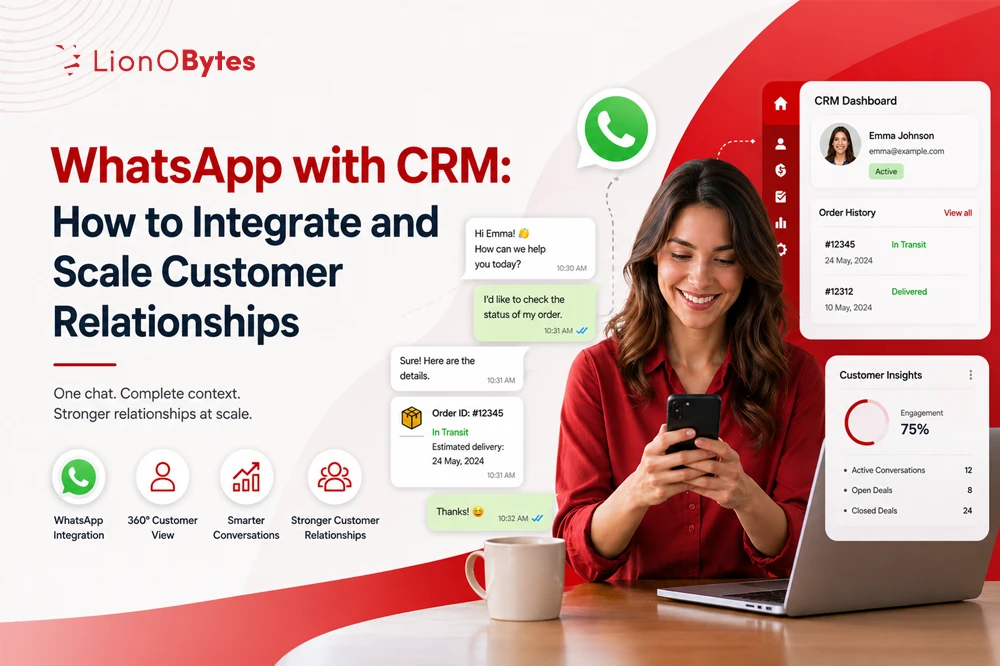
Benefits of Using a CRM Integrated with WhatsApp for Sales Teams

Most people today want quick and easy ways to talk to businesses. Messaging apps are now the simplest way for customers to ask questions, get info, or reach out to sales teams. For any company, keeping up with these chats is a big part of building great relationships.

Mar 11, 2026

Top Features to Check During a CRM Demo

Choosing the right CRM for your small business is a major decision. A CRM is more than just a simple tool; it acts as the main hub for your sales, marketing, and customer service teams. This is why seeing a CRM demo is so important.

Feb 20, 2026

How CRM Integrated with WhatsApp Improves Customer Communication

People today like quick answers. They don't want to wait for long emails or sit on phone calls. Instead, most people prefer to send a simple message. Since almost everyone uses WhatsApp, it has become a favorite way for people to talk.

Feb 18, 2026

CRM Workflow Automation: Improve Efficiency and Customer Engagement

Emails, calls, and follow-ups are part of daily business life, but when tasks pile up, things get messy fast. Leads get missed, customers wait too long for responses, and sales opportunities vanish. Handling all this manually wastes time and energy.

Feb 03, 2026

Lead Management System vs CRM: What’s the Real Difference?

Many growing businesses struggle with one common problem. Leads come in, but follow-ups don’t always happen on time. Some leads get lost. Some customers forgot after the first sale. This usually happens because businesses are not clear about the tools they need.

Feb 02, 2026

AI in Pharma CRM: Smarter Data Analysis for Better Decision-Making

The pharmaceutical industry handles vast amounts of data and is subject to stringent regulations. To stay competitive, decision-makers need accurate, timely insights into sales, physician engagement, compliance, and forecasting. AI-powered Pharma CRM systems help by turning raw data into useful strategic information.

Jan 22, 2026

How to Use a CRM System for Lead Management

Lead management is one of the most challenging aspects of building a business. This is especially the case when you are small, with enquiries managed via an Excel sheet or WhatsApp chats.
Jan 20, 2026

6 Essential CRM Integrations Every Logistics Company Should Use

Managing a logistics company is fast-paced and chaotic. Calls about shipments, payments, delivery deadlines, driver schedules, paperwork, customer feedback, and other issues come in constantly. Things get out of control when your team relies on many different tools.

Jan 13, 2026

The Complete Guide to CRM Features and Integrations for First-Time Buyers

Choosing the right CRM can seem overwhelming. If you’re one of the first-time CRM buyers who are not sure where to start, this guide will help you understand the basics clearly. Customer Relationship Management is a tool that helps you keep all your customer information in one place.

Jan 09, 2026

Why Your Business Needs a CRM: The Key to Sustainable Growth

Today, running a successful business is not only about good products or services. It also depends on knowing your customers well. Keeping accurate information is essential. Making the right decisions every day matters. But this becomes difficult when data is scattered across emails, spreadsheets, chats, and different apps.

Jan 07, 2026

The Ultimate Guide to Choosing the Best CRM for Hospitality

Keeping up with guest interactions, preferences, and daily messages isn’t easy in the hospitality industry. Whether you run a restaurant, hotel, service center, or a growing multi-location brand, delivering great experiences while managing day-to-day operations can quickly become overwhelming.

Jan 02, 2026

CRM for Hotels - 6 Key Benefits to Boost Group Sales and Revenue

Running a hotel today is more than just filling rooms. It’s about giving guests a great experience, managing different types of bookings, and turning inquiries into real reservations. How you connect with guests and group clients really matters.

Dec 31, 2025

Why CRM Is Essential for the Logistics & Transportation Sector?

Many might think of CRM as just a tool for sales or marketing, but for logistics and transportation, it is much more than that. It is an essential part of running a successful business in this fast-moving industry.

Dec 29, 2025

How LionO360 CRM Simplifies Client Management for Accountants

Every minute counts when you’re an accountant. Your day is full of data, deadlines, clients, and numbers that must be perfect. So why are you still doing time-consuming tasks by hand? That’s where LionO360 CRM from LionOBytes steps in.

Dec 26, 2025

How to Customize CRM Software to Fit Your Specific Business Needs

Every business is unique. Just because something works for one company doesn’t mean it will work for another. That’s why business CRM software should not be the same for everyone. When a CRM is made to match how your business works, your team can do their jobs faster.

Dec 19, 2025

How a CRM Can Transform Operations in the Food Industry

The food industry is always on the move. Orders arrive quickly, customers want fast replies, and kitchens need to be precise. No matter whether you run a restaurant, cloud kitchen, or catering service, the main challenge is keeping things running smoothly while maintaining high quality.

Dec 18, 2025

A CRM Evaluation Checklist: What to Look for in CRM Software

Running a business means talking to many customers, remembering what each one wants, and making sure nobody is forgotten. That's where a good tool helps. A great CRM software can store customer details, support follow-up, and keep everything tidy.

Dec 12, 2025

LionO360 CRM: The Smart Way to Run Consumer Goods Retail

Running a retail business today is more complicated than it was a few years ago. Today, retailers need to manage distributors, field teams, supply chains, store visits, sales performance, and real-time data, all at one platform.

Dec 11, 2025

The Role of CRM in Improving Customer Experience for Retail Businesses

Today’s consumers have higher expectations than ever for their shopping experiences. They seek more than just a transaction — they want to feel they are getting personalized service throughout the purchasing process (both online and offline), with consistent communication from retailers regardless of where they shop.

Dec 04, 2025

Top CRM Integration to Automate Your Lead Generation

Today's customers expect quick responses and personalized experiences; businesses cannot afford to let potential leads fall through the cracks. Here the CRM system stepped in. While a CRM organizes customer data and supports sales teams, its real power shows up when you connect it with the tools you already use every day.

Dec 02, 2025

Scaling Customer Support with CRM Ticketing Systems

Have you ever experienced customer support chaos? Surely, most of us waited long for the customer call from one agent to another. Also, many of them are dissatisfied with the service due to the unorganized process. Right? Today, everyone is running for the solution and not for the cause. Why does it happen regularly? Where are the loopholes? No one is interested in knowing.

Dec 01, 2025

CRM vs DMS: What’s the Difference and Which One Do You Need?

Businesses today run on information. Customers, documents, leads, approvals, teams, projects, sales cycles, service requests. Everything moves fast, and to keep that pace, you need the right digital system. Two of the most common tools that companies consider are CRM and DMS.

Nov 25, 2025

CRM in Telecom: Enhancing Customer Support, Loyalty, and Profitability

Telecommunications is a necessity in today’s world. CRM is a strategic imperative for modern telecommunications operators. Customers are price-sensitive and have many service options. That is why successful network operators stand out by effectively managing their interactions with subscribers.

Nov 14, 2025

Why Smart Account Management Drives Better Relationships

Companies can invest all their money in marketing or tools, but sustainable growth ultimately depends on effectively managing customer accounts to foster trust, loyalty, and long-term value.

Nov 11, 2025

What is CRM Document Management?

Have you ever tried to manage customer relationships without structure? You must know how chaotic it can get. Documents are scattered across different storage; conversations are lost in email threads, and there is no clear record of what's been promised or delivered. Definitely a mess!

Nov 05, 2025

How to Choose the Right Lead Management CRM for Your Business

Leads are the core of every business. They represent opportunities, possibilities, and future growth. But managing leads effectively is where the real challenge lies. Without the right system in place, even the best leads can slip through the cracks.

Oct 29, 2025

CRM Integration with Sales Forecasting Tools: A Complete Guide

One of the most effective ways to utilize your customer data is to connect your Customer Relationship Management (CRM) software system with your sales forecasting tools. This integration not only helps streamline your operations but also allows your teams to forecast future sales, manage resources, and create strategic growth.

Oct 23, 2025

CRM in Real Estate: Enhance Client Management and Sales

One major challenge in real estate is managing dispersed information. Contacts may be stored in spreadsheets or in handwriting, and updates can be lost in email threads. A CRM system in real estate addresses this issue by consolidating all contact details, client preferences, and transaction updates into a single platform. This comprehensive view of clients helps agents recall important information and enables them to tailor their conversations, leading to stronger relationships.

Sep 26, 2025

What Are the 3 Types of CRM and Which Is the Best for Your Business?

One bad service can prompt your customer to switch to your competitors. Just like the first day of fall signals a shift in the weather, implementing a CRM marks a strategic transition: bringing clarity, structure, and renewed focus to customer relationships.

Sep 25, 2025

AI CRM Trends 2025: U.S. Predictive Analytics, Smart Workflows & CX

2025 is halfway, and AI CRM is the backbone of how service-based U.S. companies manage customer relationships and drive growth. With AI predictive analytics, workflow automation, and CX personalization at the center, CRM solutions are transforming into intelligent platforms that anticipate customer needs, streamline operations, and deliver meaningful interactions.

Sep 18, 2025

Best AI Workflow Automation Tools to Streamline Your Business in 2025

Are you struggling to find the right tool for your business automation? Or looking to automate your workflow but don't want to drown in tools?

Sep 16, 2025

Why Mobile CRM and FSM Tools Are Vital for Today’s Remote Service Teams

Across America, companies are turning to mobile CRM (Customer Relationship Management) and FSM (Field Service Management) solutions to support remote customer service organizations. Mobile CRM provides a single source of data and sales communication regarding customers, while FSM improves employee scheduling, work orders, and technician tracking. With LionOBytes’ LionO360, companies gain a mobile-first platform that cuts costs, improves productivity, and delivers faster, personalized customer experiences—driving long-term growth and competitive advantage.

Aug 25, 2025

Automate Your Business with LionO360

Free trial. Full access. No credit cards.