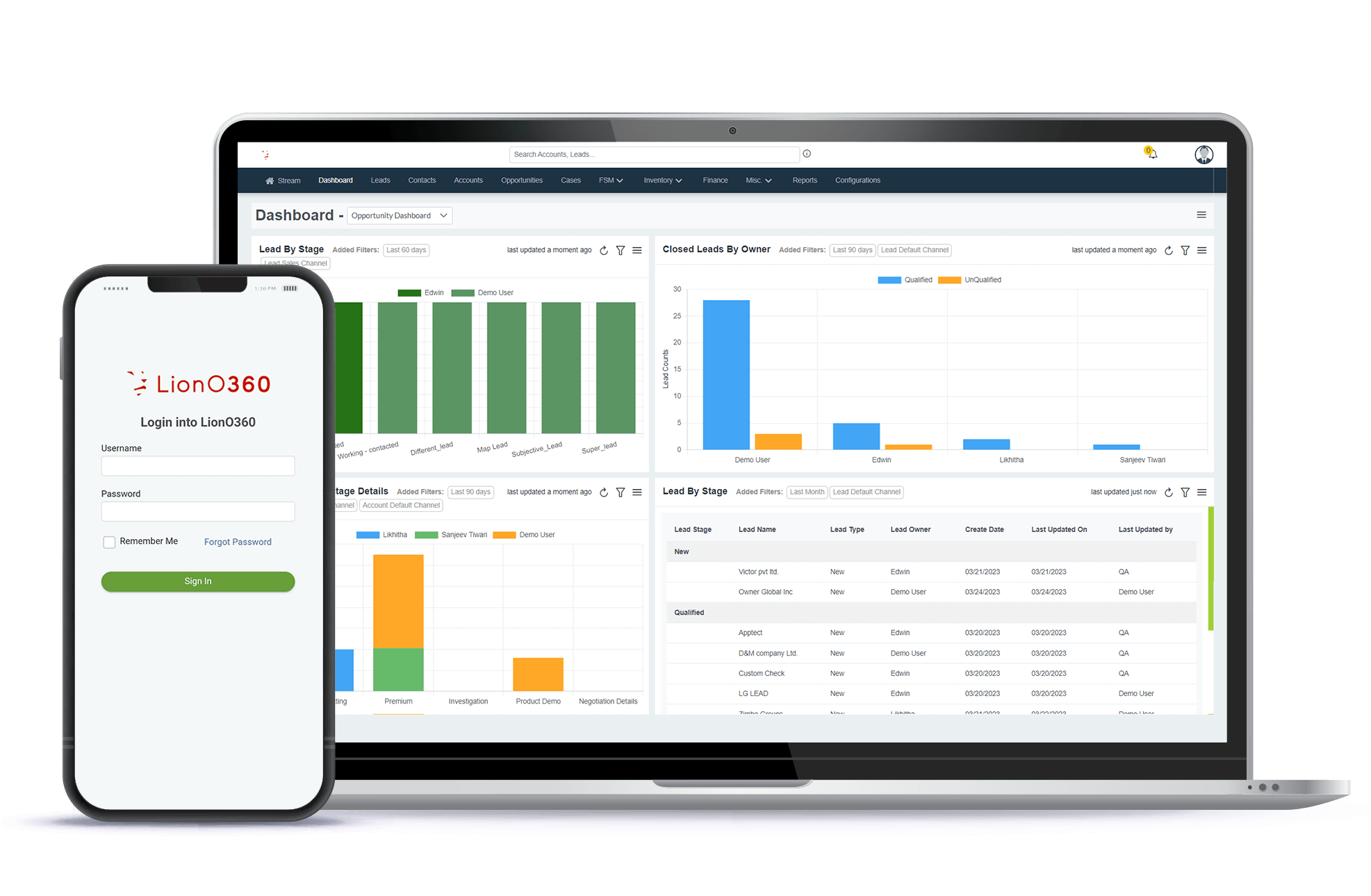


In today's fast-moving business world, sales teams face significant challenges in keeping track of their leads and closing deals quickly. A strong lead management CRM system makes this process simple and automatic, helping your team work faster and smarter. When you use good lead management software, your sales staff can focus on selling instead of doing boring paperwork.
CRM automation and lead management are connected. When leads are managed well using a CRM system, your sales teams can respond quickly, follow up properly, and close more deals in less time.
Key Takeaways
- CRM lead management saves time by keeping all customer information in one place.
- Lead management CRM helps salespeople know exactly which leads are hot and ready to buy.
- CRM automation handles boring tasks like sending follow-up emails and updating records, freeing up time for real selling work.
- Lead management software tracks every step of the customer journey, showing you where deals are stuck and what needs to happen next.
- Lead management systems make your whole team better by sharing information and stopping deals from falling through the cracks.
What Is Lead Management CRM and Why Does It Matter
A lead management CRM is a tool that helps you organize and manage all the people who might want to buy from you. Think of it as a smart filing system for your sales work. Instead of keeping notes on paper or in different email folders, everything about each lead stays in one safe place that your whole team can see.
Lead management software does more than just store information. It helps you:
- Follow up with leads at the right time.
- Know which leads are most likely to buy
- Keep track of what you promised to customers.
- See how many deals are moving forward.
- Make sure no one forgets to call a customer back.
Without a good lead management system, important information gets lost. Someone quits their job and takes customer knowledge with them. Leads slip through the cracks because nobody remembered to call them back. Sales take longer because people spend time looking for information instead of talking to customers.
The Power of CRM Automation in Your Sales Process
One of the biggest advantages of a lead management CRM is that it can do tasks for you automatically. This is called CRM automation. Let's talk about what it does.
Automatic Emails and Messages
When someone fills out a form on your website asking about your product, the CRM automation can send them an email right away saying, "Thanks for your interest." This quick response makes the lead feel important and keeps your company in mind.
You can set up CRM automation to send different emails based on what the customer is interested in. If someone downloads a pricing guide, the system can automatically send them more information about pricing. If they look at your product page, they might get a different email showing how to get started.
Smart Lead Scoring
Lead management software can score each lead based on how interested they appear to be. Maybe someone who opens your emails and visits your website multiple times gets a high score. Someone who just gave their email once might get a lower score.
Your sales team can focus on high-scoring leads first. This means they spend time with leads that are most likely to become customers. Lead management CRM makes this work without anyone having to check each lead manually.
Better Follow-Up Timing
The CRM system reminds you to follow up with leads at the best time. If a lead hasn't heard from you in three days, the system sends a reminder to someone on your team. If a lead said, "call me next week," the CRM puts that on someone's to-do list automatically.
This might sound simple, but it makes a huge difference. Studies show that calling a lead back quickly is one of the best ways to close deals faster.
How Lead Management Software Organizes Your Sales Pipeline
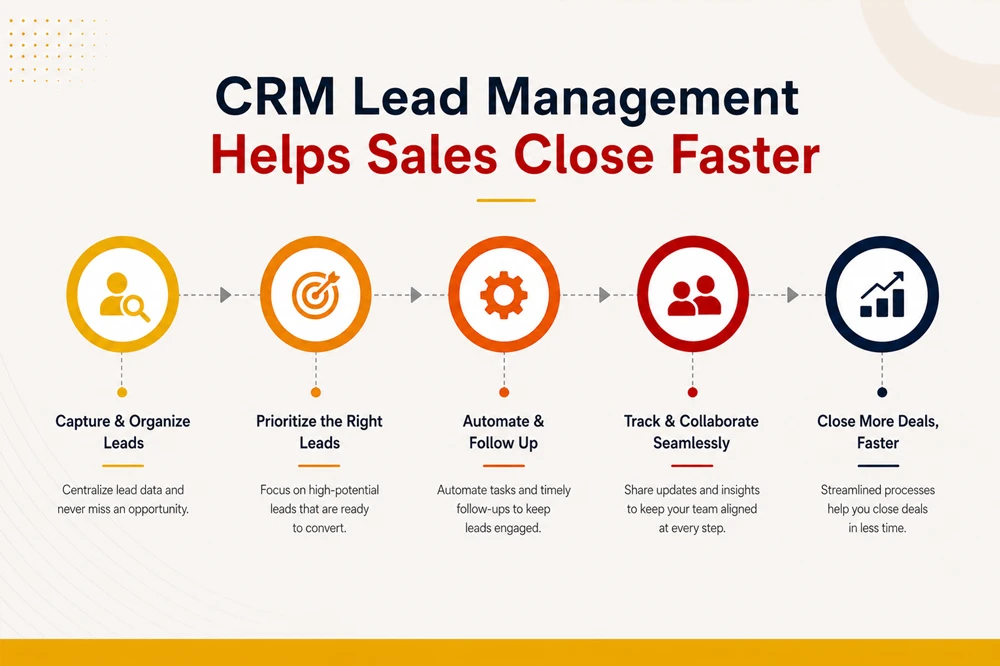
Visual Organization
When you use a lead management CRM, you can see all your leads on a board that looks like columns. One column might say "just started talking," another might say "interested but not ready," and another might say "ready to buy soon." You can move leads from column to column as they move forward. This gives everyone on the team a quick picture of what is happening. The sales manager can see in seconds how many leads are close to buying.
Real Time Information
In the old way of doing sales, information might be hours or days old. Someone calls a lead but does not update the system until tomorrow. The next person on the team does not know the lead was already called. With modern lead management software, information updates instantly. When one person adds notes about a call, everyone else sees it right away.
Understanding Where Deals Stick
Every sales team has some deals that seem stuck. The CRM helps you see this problem clearly. By looking at your sales pipeline in the CRM, you can see if a lot of deals are stuck in the "waiting" stage. Maybe that means your follow-up emails are not very good. Maybe you need to call instead of sending emails. You can then fix the problem, and the lead management system lets you measure if these changes work.
Key Features of Effective Lead Management CRM Systems
Not all CRM tools work the same way. A good lead management CRM needs certain features to help you close deals faster.
Contact Management
A quality lead management system keeps all the contact information for each person safe contact management. This includes:
- Their name, email, and phone number
- What company do they work for
- What they are interested in
- When you last talked to them
- What you promised to do next
When you have all this information in one place, your whole team can work together smoothly. No more playing phone tag or wondering if you already sent something to this person.
Activity Tracking
The best lead management software tracks every action related to each lead. Your team can see a complete history of:
- Emails that were sent and opened
- Phone calls that were made
- Meetings that happened
- Files that were shared
- Website pages the lead visited
This history is useful in many ways. If you have not talked to a lead in a while, you can look back and see what you discussed.
Task Management and Reminders
Lead management CRM tools keep track of what you need to do. When a salesperson says, "I will call this person on Friday," the CRM remembers it. On Friday, the system reminds them to make the call. This means fewer forgotten promises and better customer relationships.
Mobile Friendly Access
Modern lead management software works on phones and tablets, not just computers. This is important because your sales team is not always at their desks. A salesperson can be driving to a meeting and pulling up all the information about that customer on their phone. They can add notes after the meeting. They can see if they need to bring any documents to the meeting.
Reporting and Dashboards
A good lead management system gives you clear reports showing:
- How many new leads did you get this week
- How many leads became customers this month
- Which salespeople are closing the most deals
- How fast are deals moving through your pipeline
These reports help you understand what is working. You can then do more of what works and less of what does not.
Benefits of CRM Based Lead Management
Increased Sales Productivity
When your team uses a lead management CRM, they do not waste time on things that do not help close deals. They do not spend hours looking for old emails. They do not wonder if someone has already called a customer. They do not forget important follow-ups. A study by Nucleus Research found that CRM users are about 37 percent more productive . That productivity means more calls made, more meetings held, and more deals closed.
Better Customer Relationships
Customers like dealing with salespeople who actually know them. When you use a lead management system, your team can offer that personal touch at scale. A lead gets an email mentioning their specific challenges. A customer gets a call right when they need help. A client receives a message about the exact product that matches their needs. These personal touches happen because everyone has the customer information they need. The customer feels special and understood.
Less Human Error
When information is in a spreadsheet or paper files, mistakes happen. Someone spells a name wrong. A phone number gets written down incorrectly. Important information gets lost when someone is out sick. A digital lead management software removes most of these problems. Information is entered once and stored safely. Everyone sees the same correct information.
Data Driven Decisions
Instead of guessing what works, you have real numbers. You can see which salespeople close the most deals. You can see which types of customers are easiest to sell to. You can see which marketing efforts bring the best leads. With this information, you can make smart choices. Train your team based on what the best salespeople do.
Faster Deal Closure
This is the biggest benefit. When everything comes together, deals close faster. Leads respond quicker because they get immediate responses. They move through your pipeline faster because nobody forgets about them. Your team closes more deals because they focus on the best opportunities.
Comparison Table: Manual vs CRM
| Aspect | Manual Spreadsheet | Lead Management CRM |
|---|---|---|
| Time to Find Information | 5 to 10 minutes | Under 30 seconds |
| Follow Up Speed | Next day or later | Within 1 hour |
| Data Accuracy | 60 to 70 percent | 95 to 99 percent |
| Automatic Tasks | None, all manual | Emails, Reminders & Scoring |
| Average Sales Cycle | 60 to 90 days | 35 to 50 days |
| Deals That Fall Through Cracks | 15 to 25 percent | 2 to 5 percent |
CRM Lead Management Best Practices
Start with Clean Data
Before you put leads into a lead management system, make sure your information is clean. This means no duplicate records, correct spelling, and complete contact information. Garbage data means garbage answers.
Train Everyone on the System
The best lead management software in the world will not help if nobody knows how to use it. Make sure everyone on your team gets trained on how to add leads, update information, add notes, use follow-up features, and run reports.
Make Follow-Up Automatic Where You Can
Use CRM automation for tasks that are the same every time. Send automatic welcome emails. Send reminders for follow-up calls. Save manual work for things that need a personal touch, like sales calls and problem-solving.
Keep Notes Updated
The value of lead management software depends on having good information. Make it a habit to add notes right after a call. Write what the customer said, what you promised, and when you will follow up.
Regular Reviews
Every week or month, look at your pipeline. Which deals are stuck? Which ones are moving forward fast? Look at your reports. How many new leads came in? What is your close rate? Use this information to coach your team.
Features to Look for in Lead Management Software
Easy to Use Interface
If the system is hard to understand, people will not use it well. Look for software that makes sense when you first see it. Good lead management systems do not require a computer degree to operate.
Mobile App
Your sales team is not always at a desk. They are driving to meetings, in waiting rooms, at customer offices. A mobile app for lead management lets them work wherever they are.
Integration with Email and Calendar
Look for systems that connect with the email and calendar software your team already uses. This makes it easier to make the switch and reduces duplicate work.
Reporting and Analytics
You need to measure how well lead management is working. Look for clear reports and analytics that show what matters.
Good Customer Support
When you have questions or problems, you need someone to help quickly. Make sure the company offers good support.
Getting Started with Lead Management CRM
Step One: Audit Your Current Process
Before picking up a lead management system, understand how you currently manage leads. How many leads come in each week? What do you do with them? Where do problems happen? What takes too long? Write this down.
Step Two: Get Team Input
Your salespeople know what frustrates them. Ask them what would make their job easier. What information do they always need? What gets repeated? What falls through the cracks? Include your team in picking lead management CRM.
Step Three: Pick Your System
There are many lead management software options. Some are simple. Some are complex. Do not pick based on price alone. Pick based on what fits your business. Look at free trials. Talk to other companies using the system.
Step Four: Clean Your Data
Gather all your current lead information. Remove duplicates. Fix spelling. Fill in missing information. This takes time but saves you later. Starting clean is important.
Step Five: Set Up Your Pipeline
Build the stages that your leads go through. Name them clearly. Maybe you have: New lead, Contacted, Interested, Proposal sent, Negotiating, Closed. Keep it simple.
Step Six: Train Your Team
Have everyone learn the system together. Practice entering leads. Practice adding notes. Practice looking up information. Have people practice with dummy information first.
Step Seven: Start Using It
Start small if you need to. Let's have one salesperson use it for one week. Then add more people and more leads. Do not try to do everything at once.
Why Choose LionO360 CRM for Lead Management?

The LionO360 CRM is built for businesses that want to close deals faster without complicated software that is hard to learn. Our lead management features are simple, powerful, and focused on what actually matters to your sales team.
With LionO360 CRM, you get:
- Simple interface that your team learns in hours, not weeks
- Automatic lead tracking that saves time every single day
- Smart lead scoring to help you focus on hot prospects
- Mobile app so your team can work from anywhere
- Real time updates so everyone knows what is happening with each customer
- Detailed reports that show exactly how your sales are doing
- Affordable pricing that works for small and large teams
- Excellent customer support when you need help
LionO360 CRM is not trying to be everything to everyone. We focused on making lead management simple and effective. Whether you are a small startup or a growing company, LionO360 CRM helps your team close more deals faster.
Your customers will appreciate being treated like they matter. Your salespeople will appreciate having the information they need. Your manager will appreciate seeing a clear picture of business coming in. That is why LionO360 CRM is becoming the choice for modern sales teams. It just works.
Ready to close deals faster? Check out LionO360 CRM today and see how lead management software can transform your sales team. Book Your Free CRM Demo Now!
Frequently Asked Questions
What is the difference between lead management software and a CRM system?
A lead management system focuses specifically on tracking and managing leads from first contact until they become customers. A full CRM system does this plus manages existing customers, service tickets, and other business relationships. You can think of lead management CRM as the lead focused part of a bigger CRM. Many companies start with lead management and later add more CRM features as they grow.
How long does it take to see results from lead management CRM?
Most companies see improvements within 4 to 8 weeks. You might notice faster lead response times within the first week. Some improvements depend on how well you use the system. Companies that follow best practices see faster results.
Can lead management software work for any type of business?
Lead management of CRM works well for B2B businesses and companies with longer sales cycles. It works for any business that has multiple salespeople and wants to track leads carefully. It works less well for very simple businesses with short sales cycles and few customers. But for any sales business with multiple team members, it usually helps.
What is the most important feature in lead management CRM?
The most important feature is making it easy for your team to see what is happening with each customer and what needs to happen next. If the system is complicated and confusing, people will not use it well. A simple system that everyone uses well beats a complex system that nobody uses. Pick a lead management system that your team can learn and use without struggle.