

Have you ever had a potential customer reach out, and then... nothing happened? No follow-up. No reply. No sale.
That is a lost lead. And it happens more often than most businesses want to admit.
The truth is, getting leads is only half the job. Real work is what you do with them after they show up. This is where a strong lead management process makes all the difference. And with the right CRM lead management tool, like LionO360 AI, you can stop losing leads and start closing more deals, faster.
Here, we discuss what lead management is, why it matters so much, and how to master it step by step with LionO360 CRM.
What is Lead Management?
Lead management in CRM is not just about collecting names and emails. It is about knowing who is interested in your product, where they are on their buying journey, and what the next best step is for your sales team.
Without a clear lead management system, your sales team is basically working in the dark. Leads get ignored. Follow-ups happen too late. And the competitor who follows up faster gets the sale.
With good CRM lead management in place, your team always knows what to do next. That means fewer missed opportunities, and more deals are closed.
Why LionO360 is the Best Lead Management Software for Growing Businesses
LionO360 is an AI-powered CRM built for businesses that want to grow without chaos. It is one of the best lead-tracking software options available because it brings everything your team needs into one place. From capturing a lead to converting them into a loyal customer, LionO360 handles every step.
Here is what makes it stand out as a top CRM for lead management:
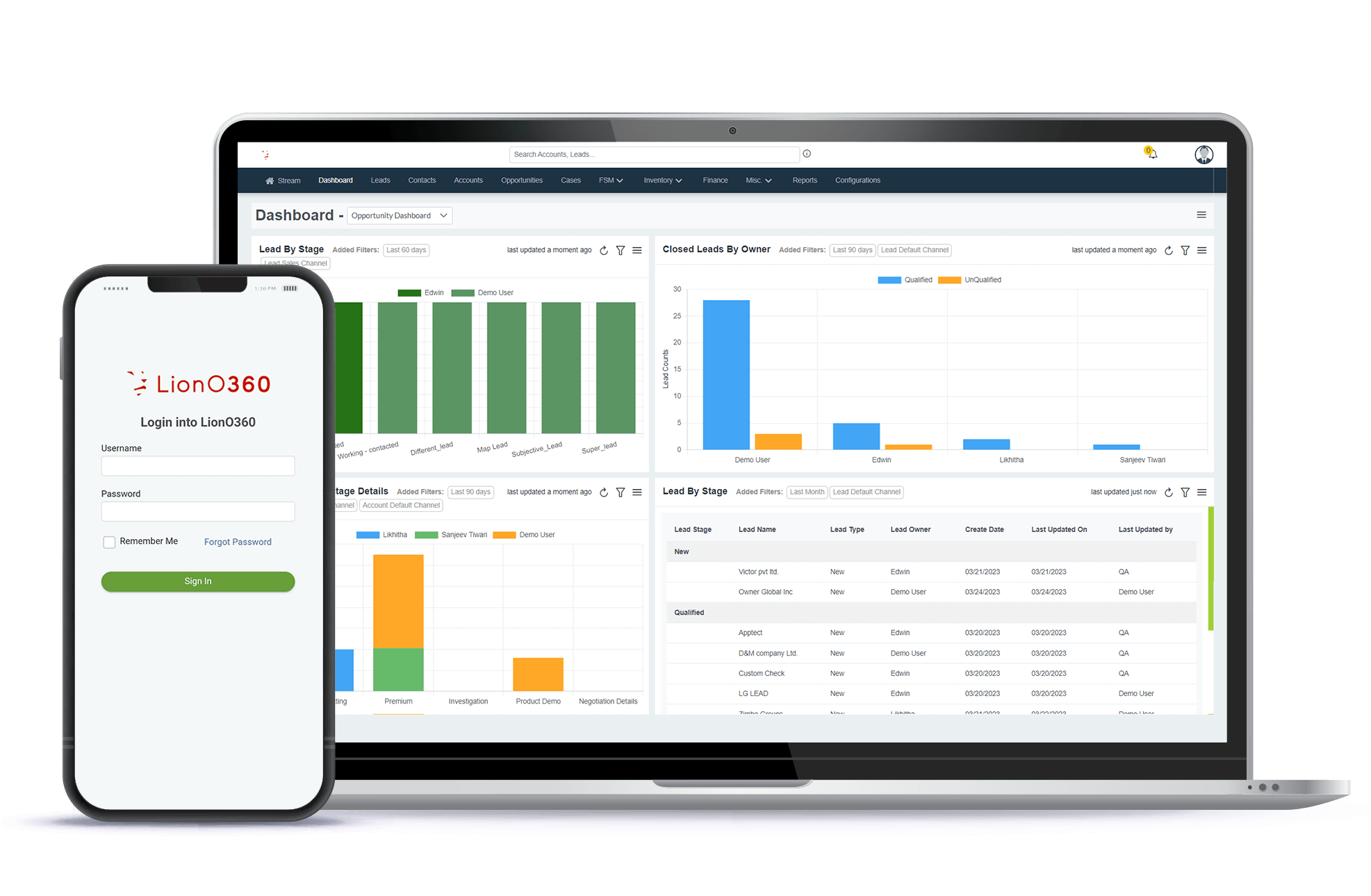
It uses AI to score and rank your leads so your team always knows who to contact first. It automates repetitive tasks, such as sending follow-up emails and assigning leads to team members. It gives you real-time dashboards to track every lead at every stage. And it checks for duplicate leads, keeping your data clean and reliable.
Now, let us walk through the 7 stages of lead management and see exactly how LionO360 helps each one.
Stage 1: Capture Leads from Every Source
The first step in the lead management process is capturing leads. Leads can come from many places. Your website. Social media. Email campaigns. Events. Phone calls. A business card at a trade show.
The problem? When leads come in from multiple places, things get messy fast. Leads fall through the cracks. Data gets entered incorrectly. And your sales team wastes time searching for information that should already be there.
LionO360 solves this by consolidating all your lead sources into a single system. You can bulk import leads, capture them through email searches, or even scan a business card to add a new contact instantly. Every lead land in the same place, ready for your team to act on.
This is the foundation of a strong lead management system. If you cannot capture leads reliably, everything else falls apart.
Stage 2: Qualify Your Leads
Not every lead is worth the same amount of your time. Some people are ready to buy it right now. Others are just browsing. And some will never become customers, no matter how much time you spend on them.
Qualifying leads means figuring out which ones are worth chasing and which ones are not yet ready. This used to mean a lot of guesswork. But with LionO360's AI-based lead scoring, the guesswork is gone.
LionO360 analyzes customer behavior, engagement patterns, and other data to assign each lead a score. The higher the score, the more likely they are to convert. Your sales team can then focus its energy on the leads that matter most, rather than wasting time on those that are not ready.
This is one of the biggest advantages of using the best lead management software. It tells your team where to look, so they stop running in circles.
Stage 3: Assign Leads to the Right People
Once a lead is qualified, someone needs to take ownership of it. If nobody owns a lead, it just sits there until it gets cold.
LionO360 makes lead assignment simple. You can automatically assign leads based on your rules. For example, you can set it up so leads from a certain region always go to the sales rep who covers that area. Or you can assign based on team workload, so no one person gets buried while another has nothing to do.
You can also assign leads manually if you prefer. Either way, the moment a lead is assigned, the rep is notified and can start working on it right away.
This step is critical because speed matters in sales. Studies show that leads are far more likely to convert when they are contacted quickly. A good CRM for lead management makes sure no lead waits too long.
Stage 4: Nurture Your Leads Over Time
Most leads are not ready to buy the moment they first contact you. They need time, information, and to trust you before they hand over their money.
This is called lead nurturing. It means staying in touch with your leads in a helpful, consistent way until they are ready to move forward.
With LionO360, nurturing happens automatically. You can automate the workflows that send welcome emails when a new lead comes in. You can schedule follow-up emails a few days later. You can even trigger messages based on what a lead does, such as opening an email or visiting your website.
This is where LionO360 truly shines as a lead management system. It keeps leads engaged, so they do not forget about you.
Stage 5: Track Lead Activity and Communication
Your sales team needs to know exactly what has happened with every lead. What emails have been sent? What calls were made? What did the lead say last time someone spoke to them?
LionO360 keeps a full history of every interaction with every lead. Every email, call, note, and task is stored inside the lead profile. The next time someone reaches out, they know exactly where the conversation left off.
You can also track lead activity in real time through dashboards and reports. This gives your sales managers a clear picture of what the team is doing and where leads are getting stuck.
The best lead tracking software does exactly this. It turns scattered information into a clear story, so your team always knows what is happening and what to do next.
Stage 6: Move Leads Through Your Sales Pipeline
As you work with a lead, they move through different stages of your sales process. Every business has its own stages. And your CRM should reflect the way you actually work, not force you to fit into someone else's system.
LionO360 lets you fully customize your sales pipeline stages. You can name them whatever makes sense for your business. You can add stages, remove stages, and set them up to match your exact sales process.
LionO360 also checks for duplicate lead data to keep your pipeline clean. Nothing is more frustrating than having two sales reps to reach out to the same person because they appeared twice in the system. LionO360 catches that before it becomes a problem.
Stage 7: Convert Leads into Customers and Keep Them
The whole point of lead management is to turn interested people into paying customers. But even after a lead converts, the job is not done.
Keeping a customer is just as important as getting one. LionO360 helps here too. You can connect multiple contacts to a single lead record, track ongoing account activity, and set reminders to check in with customers who have gone quiet.
For example, if a customer has not placed an order in 90 days, LionO360 can flag them as inactive, so your team knows to reach out. This kind of proactive follow-up keeps customers feeling valued and helps you generate more revenue from the relationships you have already built.
How LionO360 AI Makes Every Stage Smarter

What makes LionO360 truly special is the AI layer that underpins all these stages. Here is a quick look at what AI brings to the table:
- AI lead scoring tells you which leads are most likely to convert, so your team can prioritize the right ones.
- Smart workflow automation handles repetitive tasks, so your team can focus on real conversations.
- Predictive insights help you see sales trends before they happen so you can plan.
- Email sentiment analysis reads the tone of lead emails to determine whether a lead is warm, cold, or ready to buy.
- Real-time alerts keep your team informed the moment a lead takes important action.
All of this adds up to a smarter, faster, and more effective sales process. And it is all built into LionO360's lead management system.
Maximize Your Lead Generation with LionO360 CRM
If you are serious about growing your business, you cannot afford to manage leads the old way. Spreadsheets, sticky notes, and memory are not reliable systems. They let leads fall through the cracks. They slow your team down. And they cost you sales.
The LionO360 CRM gives you everything you need to capture, qualify, nurture, track, and convert leads at scale. With AI-powered tools, customizable pipelines, automated workflows, and real-time reporting, it is genuinely one of the best lead management software solutions available for small and growing businesses today.
Whether you are a team of five or fifty, LionO360 can help you build a lead management process that actually works, so you spend less time chasing and more time closing.
Ready to see it in action? Visit LionO360 Lead Management to learn more and book a free demo today.
Frequently Asked Questions
1. What is CRM lead management?
CRM lead management keeps all lead data, communication history, and tasks in one place, so your sales team always knows what to do next.
2. How does CRM lead management boost sales?
Features like AI-led scoring help you focus on the leads most likely to convert, while automated workflows ensure every lead gets timely attention.
3. Can lead management improve customer retention?
Yes, absolutely. A lead management system remains useful even after a sale is made. Tools like LionO360 allow you to track customer activity even after they convert.
4. Can a small business benefit from CRM lead management?
Small businesses often benefit the most from CRM lead management because they have fewer resources to waste. When every lead matters, you need a system that ensures none of them are ignored. LionO360 is built with small businesses in mind.
5. What is the difference between lead tracking and lead management?
Lead tracking is one part of lead management. Tracking means knowing where a lead is in your pipeline and what has happened to them so far. Lead management is the full process, which includes capturing leads, qualifying them, assigning them to your team, nurturing them over time, and ultimately converting them into customers.